
Best Practices for Setting Fraud Thresholds to Avoid False Declines
Set fraud thresholds too tight and you block paying customers; too loose and fraud slips through. Learn how to tune thresholds to cut false declines without inviting fraud.
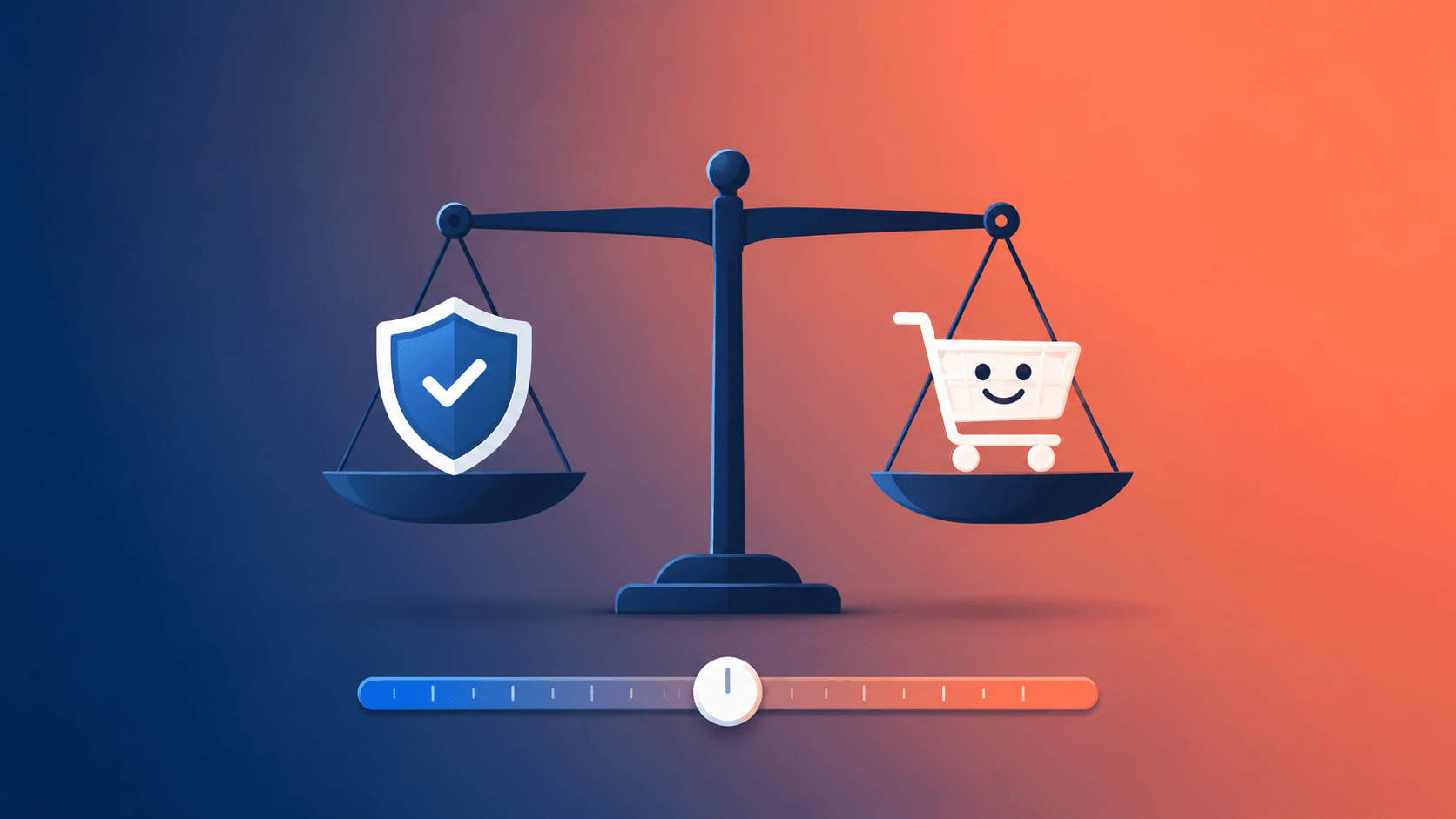
Most merchants obsess over the fraud they catch. Far fewer measure the fraud they think they're catching the legitimate orders their own rules wrongly reject. And that blind spot is expensive. Industry estimates put the cost of false declines at many times the cost of actual fraud; some analyses peg it at roughly 13 times, with false declines reportedly costing retailers hundreds of billions of dollars globally each yea far more than fraud itself.
Here's the part that stings: when you wrongly decline a real customer, you don't just lose that sale. You signal that your brand suspects them of a crime and a large share of those shoppers never come back. Estimates suggest around 39% of falsely declined customers abandon the merchant for good.
So the goal of fraud thresholds isn't to block as much as possible. It's precision: approving more of what's legitimate while keeping the same accuracy on what isn't. This guide shows you how to set and tune your thresholds to hit that balance. (For how scoring works under the hood, see Understanding Risk Scores, and for the bigger picture, our complete guide to Shopify fraud prevention.)
What a Fraud Threshold Actually Does
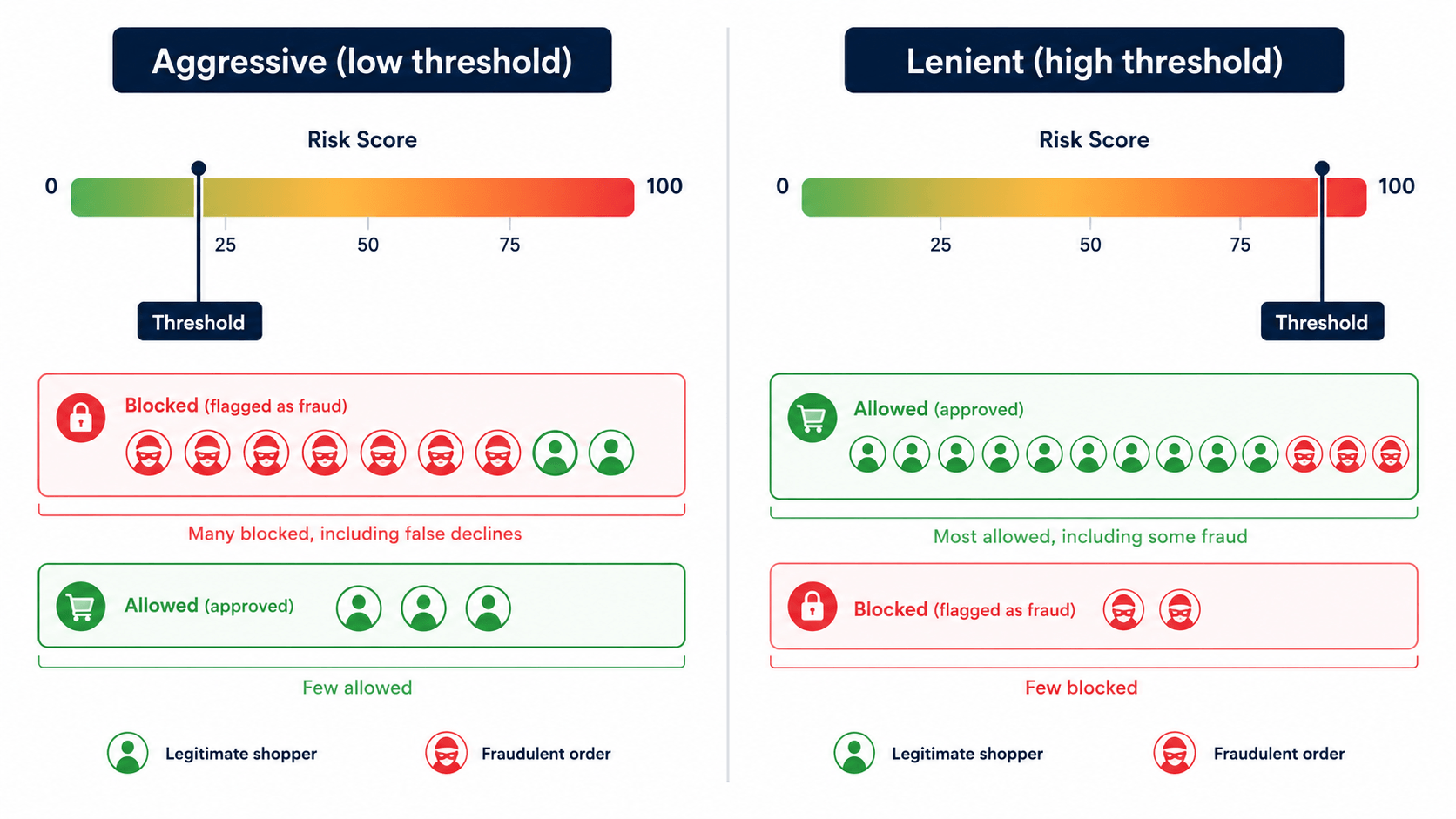
A fraud threshold is the line you draw on a risk score that decides what happens to an order. On a typical 0–100 scale:
- Orders below your threshold pass through automatically.
- Orders above it get blocked, redirected, or sent for manual review.
Move that line and you change the entire character of your store's fraud posture. Set it low (aggressive) and you catch more fraud but sweep up more legitimate customers with it. Set it high (lenient) and you stop annoying good customers but let more risk through. There is no universal "correct" number; the right line depends on your margins, your products, and your customers.
The mistake most merchants make is treating this as a one-time setup. It isn't. A threshold is a dial you manage, not a switch you flip.
The False Decline Problem, in Plain Numbers
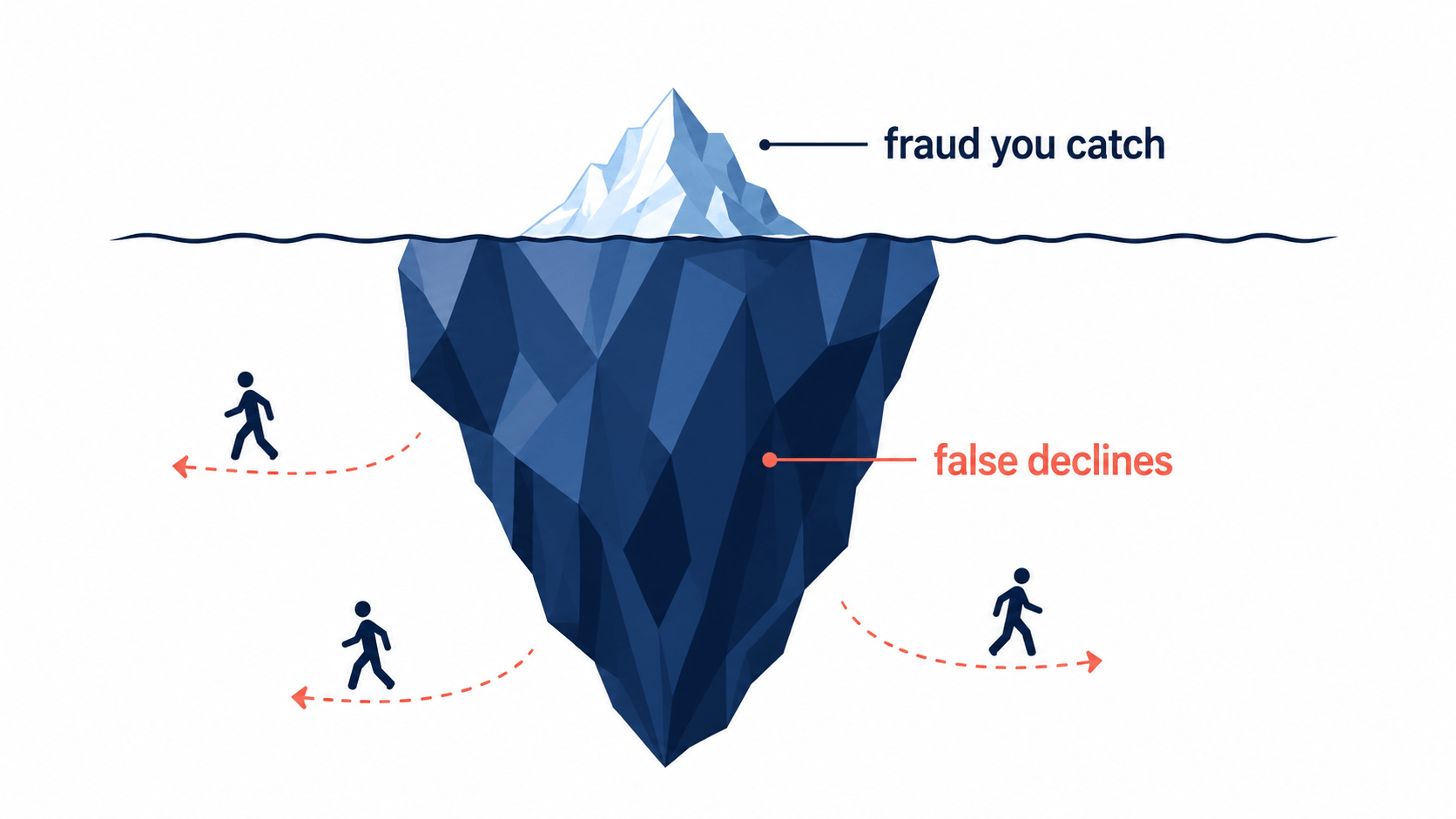
To set thresholds wisely, you have to respect what's at stake on both sides. The fraud side is obvious and visible a chargeback hits your statement. The false-decline side is invisible, which is exactly why it's so dangerous. Consider what the data shows:
- Strict fraud controls reject an estimated 5–10% of legitimate orders at many merchants.
- Nearly half of merchants estimate up to 5% of legitimate orders are wrongly declined, contributing to tens of billions in lost revenue industrywide.
- Roughly 39% of falsely declined shoppers never return, and for loyal customers, order frequency can drop sharply after a single false rejection.
- Only about 64% of merchants even track their false-decline rate meaning a third are flying blind.
The lesson isn't "turn off fraud protection." It's that a threshold set purely to minimize fraud, with no regard for false declines, is almost certainly costing you more than the fraud it prevents.
How to Set Your Initial Threshold
If you're starting out or resetting, here's a sensible sequence rather than a magic number.
Start conservative, then loosen. Begin by auto-blocking only the clearly high-risk scores (for example, the top of the High Risk band), and route the ambiguous middle to review rather than auto-decline. It's safer to review-then-approve than to block-then-lose a customer you can't win back.
Match the threshold to order economics. A store selling $15 items can afford a more lenient threshold the downside of a bad order is small, and the cost of blocking good customers is proportionally large. A store selling $500 items has more reason to scrutinize. Your average order value and margin should directly inform where you draw the line.
Account for your customer base. If you sell internationally, ship gifts, or serve travelers, more of your legitimate orders will naturally trip location and address signals. A threshold calibrated for a purely domestic store will over-block in that context.
Use review and verification as a middle gear. The most costly outcomes are auto-declines. Sending borderline orders to a quick verification step (or manual review) instead of rejecting them outright recovers sales that a blunt threshold would have destroyed.
The Two Most Common Threshold Mistakes
Mistake 1: Setting it and forgetting it
Stale rules are one of the most consistent sources of avoidable false declines. Fraud patterns shift, your product mix changes, and a threshold that was right last year may be quietly over-blocking today. Rules that haven't been audited against actual outcomes in 12+ months are a classic culprit. Treat threshold tuning as an ongoing program, not a launch-day task.
Mistake 2: Over-weighting weak signals
Some signals trigger far more false declines than fraud they catch. The textbook example is an AVS mismatch from a simple formatting difference a customer enters "123 Main St" when the bank has "123 Main Street," the rule fires, and a perfectly good order is blocked. Audits frequently find AVS mismatches account for a small share of actual fraud but a disproportionate share of blocked legitimate orders. The fix isn't to ignore AVS it's to treat it as one contributing signal in a risk score, never a standalone auto-decline trigger.
How to Tune Thresholds the Right Way: Test, Don't Guess
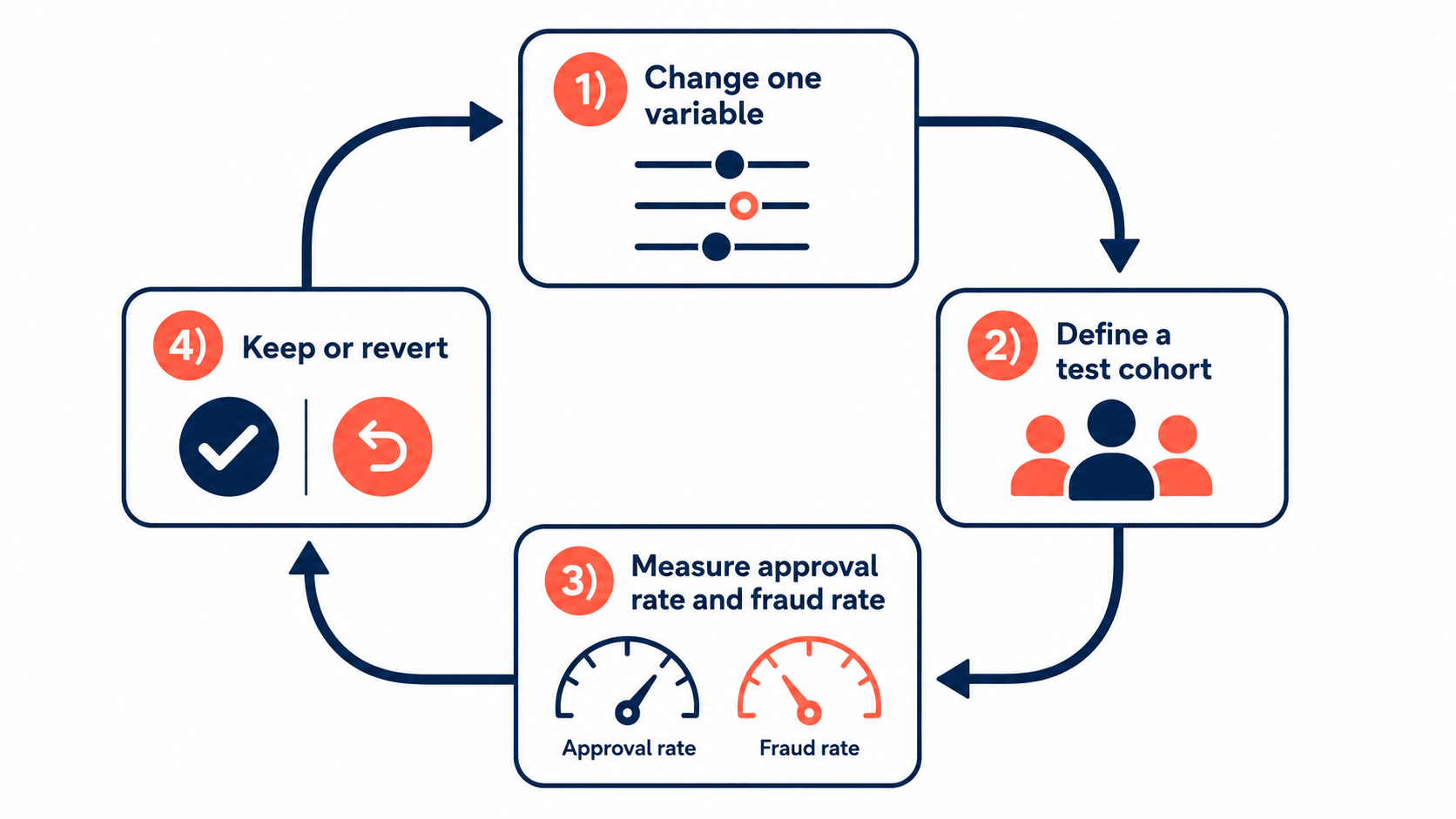
The framing of "reduce friction or prevent fraud" is the wrong model. The real goal is precision, and precision comes from controlled experimentation not blanket rule changes. Here's the disciplined approach:
1. Change one variable at a time. Adjust a single threshold or rule per test window. Change two things at once and you can't attribute the result to either.
2. Define a test cohort. Pick a specific segment a geography, a transaction-value band, a customer type so you're measuring a clean signal rather than store-wide noise.
3. Measure both numbers side by side. Track approval-rate improvement and fraud-rate change over a defined window. This is the whole game: you're watching two dials, not one.
4. Keep or revert based on evidence. If approvals rise while fraud stays flat, expand the change. If fraud ticks up, revert. Let data decide, not gut feeling.
5. Audit periodically. A 90-day review comparing flagged orders against confirmed fraud outcomes almost always reveals which rules are pulling their weight and which are just generating false declines.
This is how mature fraud teams operate, and it's entirely achievable for a small store you just need a tool that gives you visibility into why orders are flagged and control over your thresholds.
Why Transparency and Control Matter So Much Here
You cannot tune what you cannot see. This is the practical limit of black-box systems: if a tool tells you "high risk" without showing the contributing signals, you can't tell whether a decline was a genuine fraud catch or a false positive from an over-weighted AVS rule. You're optimizing blind.
That's why a transparent, tunable risk score is the foundation of good threshold management. You need to see which factors moved a score, and you need to set your own action thresholds rather than accept a vendor's hidden defaults.
This is exactly the control an app like Browsify is built around. Browsify assigns each visitor a transparent 0–100 risk score, shows you the specific factors behind it, and lets you set the threshold for blocking, redirecting, or allowing so you can start conservative, watch the results, and tune toward precision over time. Because it acts on high-risk traffic before checkout while explicitly allowing legitimate privacy traffic like iCloud Private Relay, it's designed to cut fraud and false declines together rather than trading one for the other. You keep the dial in your hands instead of guessing at a black box.
Try Browsify free and tune your fraud thresholds with full visibility into every decision. Browsify App
Frequently Asked Questions
What's the ideal fraud threshold number? There isn't a universal one. It depends on your average order value, margins, and customer base. A common approach is to start conservative auto-blocking only clearly high-risk orders then loosen based on measured results.
How do I know if my threshold is too aggressive? Track your false-decline rate. If you're seeing customer complaints about declined orders, a low repeat-purchase rate, or you simply don't measure it at all, your threshold may be over-blocking. Most merchants under-measure this side.
Should AVS or CVV mismatches auto-decline an order? Generally no. Both are useful signals but cause significant false declines on their own (often from simple typos or formatting). Use them as contributing factors in a risk score, not as standalone automatic blockers.
How often should I review my thresholds? Treat it as ongoing. At minimum, audit against actual fraud outcomes a few times a year stale rules are a leading cause of avoidable false declines.
Final Thoughts
The merchants who win at fraud prevention aren't the ones with the strictest thresholds they're the ones with the most precise ones. They respect both sides of the ledger: the visible cost of fraud and the invisible, often larger cost of false declines. They start conservative, lean on review instead of blunt auto-declines, change one variable at a time, measure approvals and fraud together, and revisit their rules as the landscape shifts.
Do that, and your threshold stops being a guess and becomes a tuned instrument one that protects your revenue from fraudsters and from your own over-caution at the same time.
Next in this series: "How to Automate Fraud Prevention on Shopify (Without Blocking Real Customers)" and "Shopify's Built-In Fraud Tools vs. Dedicated Apps: What You Actually Need."
This article is for general educational purposes and reflects common ecommerce fraud-prevention practices; it isn't legal or financial advice. Statistics are drawn from third-party industry reporting and may vary by source and methodology. Always confirm current Shopify features and your payment processor's policies, as they change over time.