
Browser Fingerprinting and Visitor ID: Tracking Repeat Offenders
A fraudster who gets blocked just changes their IP and tries again. Learn how browser fingerprinting and a persistent Visitor ID recognize repeat offenders even when they switch IPs or devices.
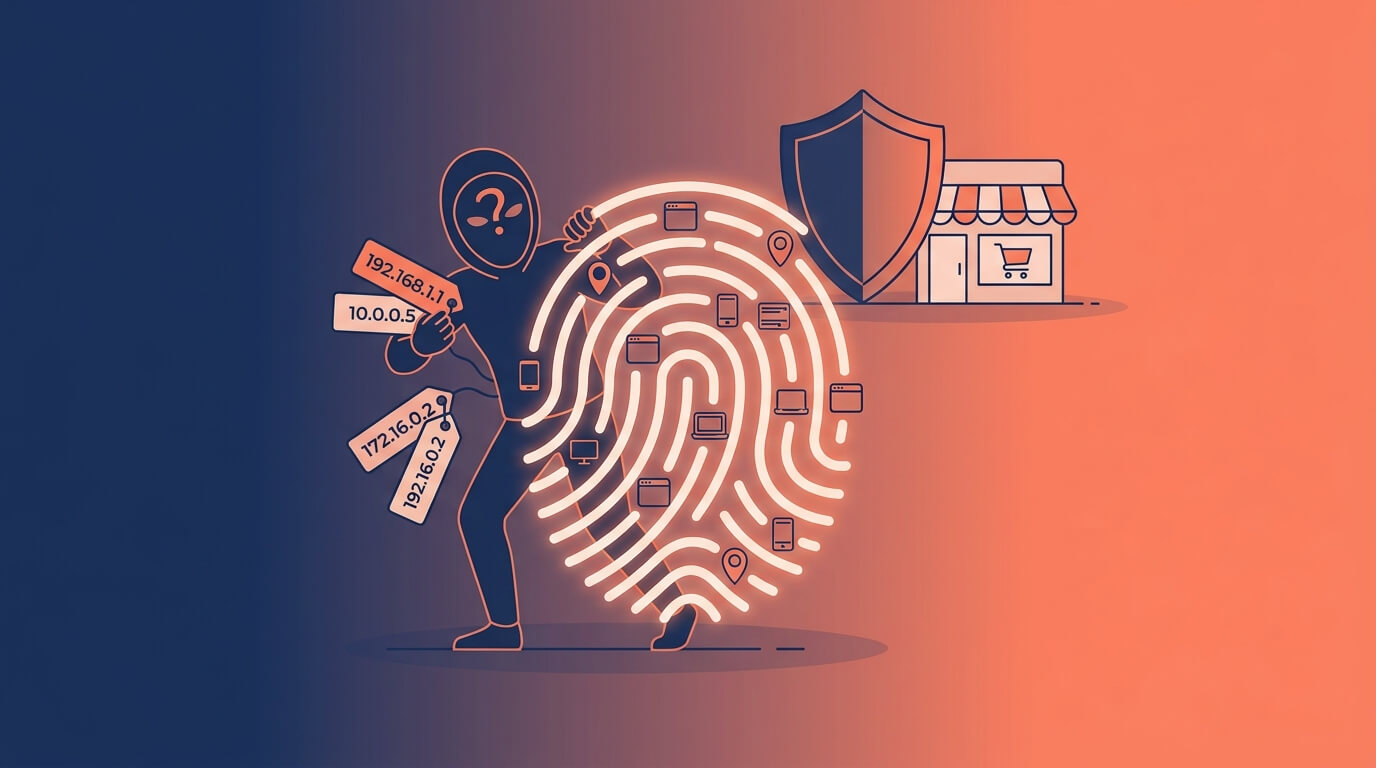
Here's a frustrating scenario every merchant eventually faces. You spot a fraudulent order, block the IP address, and feel good about it for about ten minutes. Then the same bad actor is back with a fresh IP, a cleared cookie cache, and a new order. You're playing whack-a-mole, and the fraudster has infinite mallets.
The reason IP-based blocking fails is simple: IP addresses are cheap and disposable. Fraudsters rotate them constantly. To actually stop a repeat offender, you need a way to recognize the same person even when they change their IP, clear their cookies, or switch browsers. That's exactly what browser fingerprinting and a persistent Visitor ID do.
This guide explains how both work, why they catch repeat offenders that IP blocking misses, and how to use them responsibly. (For the wider strategy, see our complete guide to Shopify fraud prevention.)
The Problem With Cookies and IP Addresses
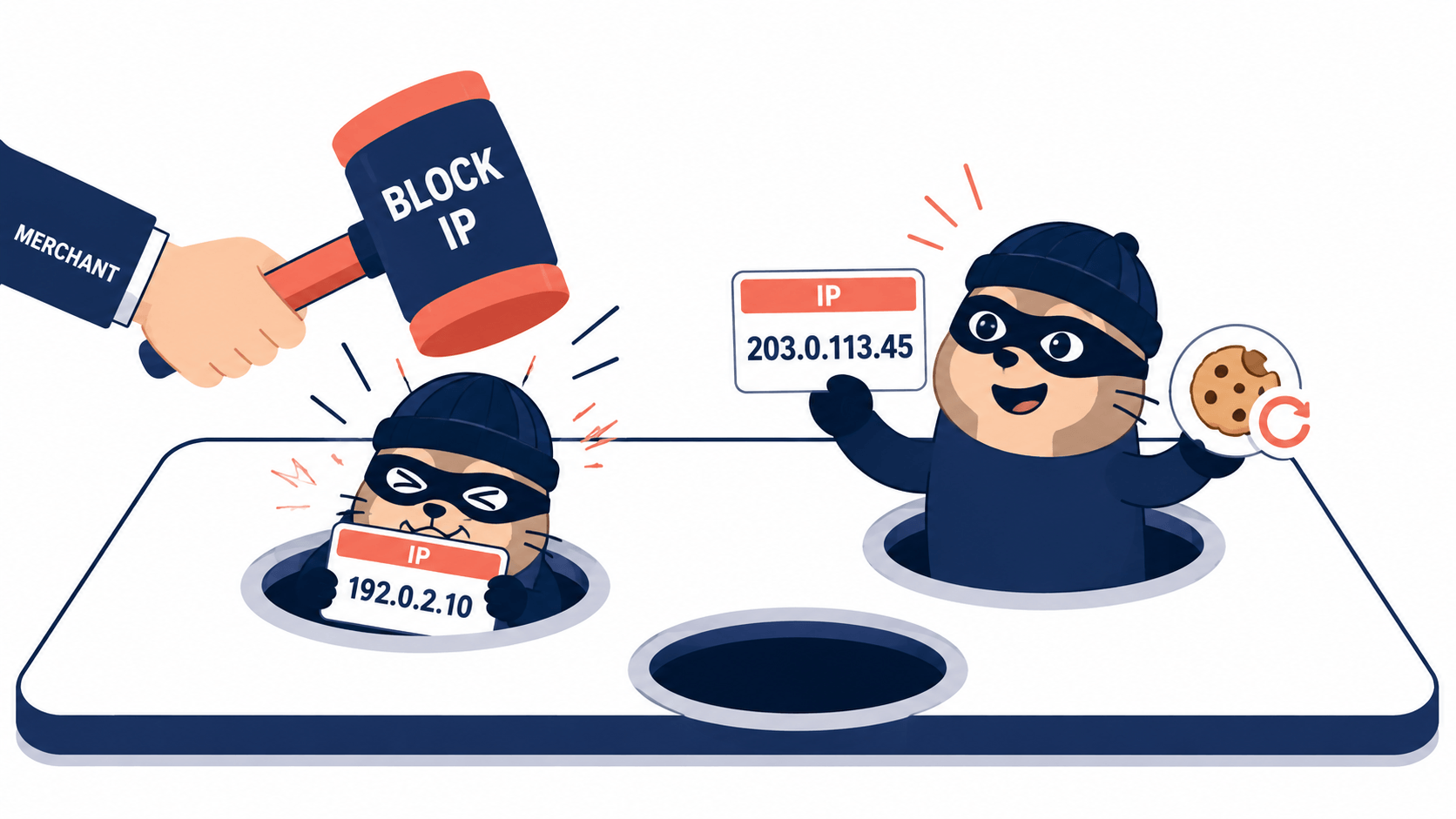
Most basic tracking relies on two things that fraudsters defeat easily:
IP addresses change constantly. A visitor's IP can shift when they switch networks, toggle a VPN, or simply wait for their ISP to reassign one. Blocking an IP blocks a connection, not a person and the connection is trivial to replace.
Cookies can be cleared in seconds. A cookie is data your server stores on the visitor's browser and reads back later. But the visitor controls it completely: they can clear cookies, browse in incognito, or open a different browser to start fresh. Cookies require both the server's cooperation and the visitor's permission and a fraudster grants neither.
The result is that neither method gives you a durable identity. You block a symptom, and the same actor returns wearing a slightly different disguise.
What Is Browser Fingerprinting?
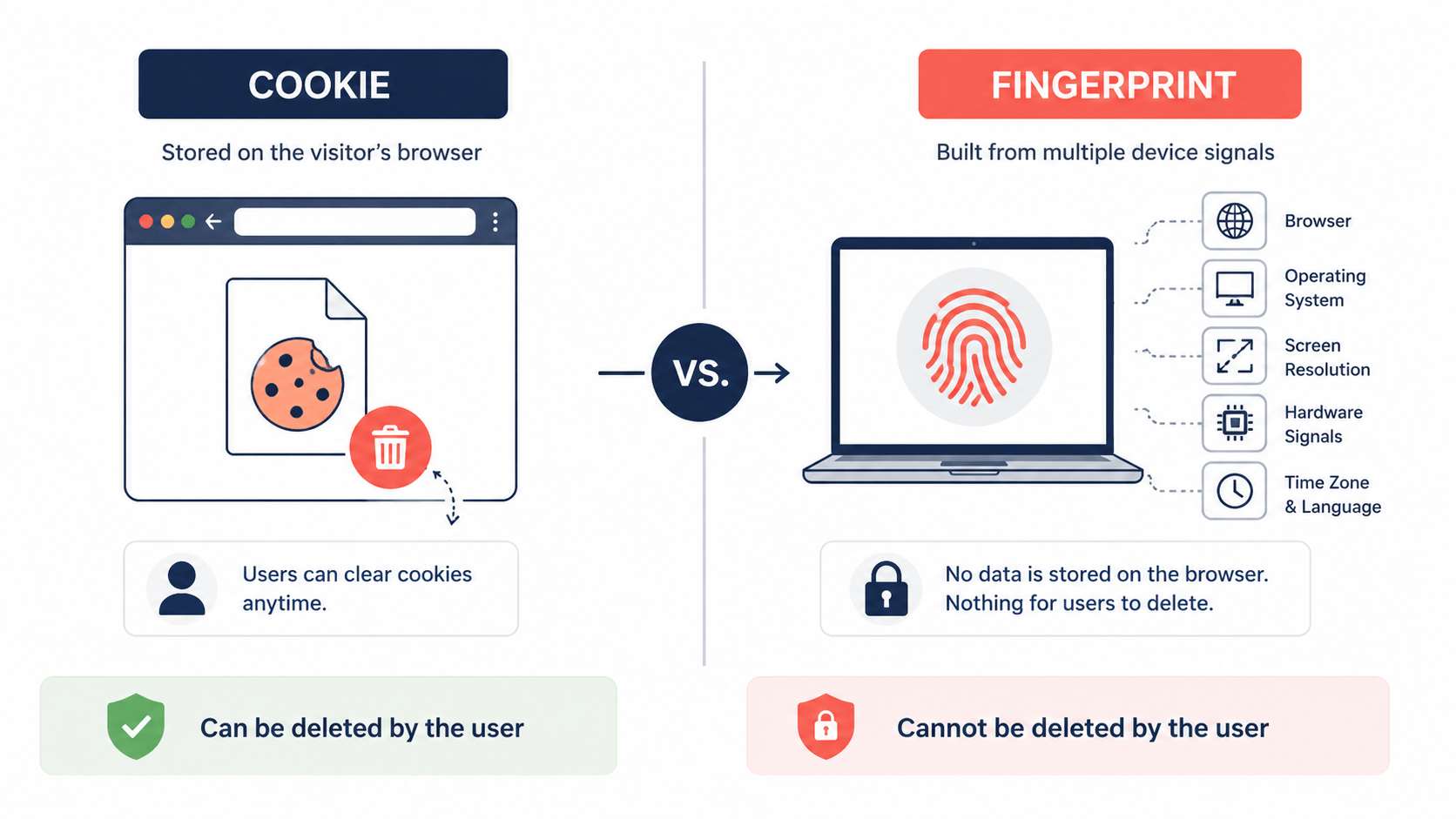
Browser fingerprinting takes a different approach. Instead of storing something on the visitor's device, it reads the technical characteristics the browser already reveals, and combines dozens of small details into one distinctive profile.
Those signals can include:
- Browser type, version, and settings
- Operating system and device type
- Screen resolution and language settings
- Hardware characteristics and other configuration details
Individually, most of these aren't unique plenty of people use Chrome on Windows. But combined, they form a highly distinctive identity. And here's the crucial difference from cookies: a fingerprint is read, not stored, so the visitor can't simply "clear" it. There's nothing on their side to delete. They can only change it by changing their actual browser, OS, or hardware which is far more effort than clearing a cookie.
This durability is why fingerprinting has, by 2026, moved from a niche technique to a core element of how ecommerce platforms protect transactions especially as third-party cookies decline. Industry research suggests fingerprints can be many times more effective than cookies at detecting fake accounts.
What Is a Visitor ID?
A Visitor ID is the practical output of fingerprinting: a unique identifier assigned automatically to every visitor, built from their browser, device, and session data. Think of it as a digital fingerprint for each person who lands on your store.
A few things make the Visitor ID powerful:
It's assigned to everyone, automatically. Unlike a traditional account that requires a login, a Visitor ID is generated for every visitor logged-in customer or anonymous browser alike. This means you can monitor all traffic, including users who never create an account or complete a purchase.
It persists across sessions. Because it's tied to the device and browser environment rather than a cookie, the same visitor keeps the same ID across visits making it a reliable way to recognize a returning person, and a returning offender.
It survives evasion attempts. This is the heart of it: a Visitor ID can recognize a repeat offender even if they change their IP address or use a different device closing the exact loophole that IP-only blocking leaves wide open.
How Visitor ID Stops Repeat Offenders
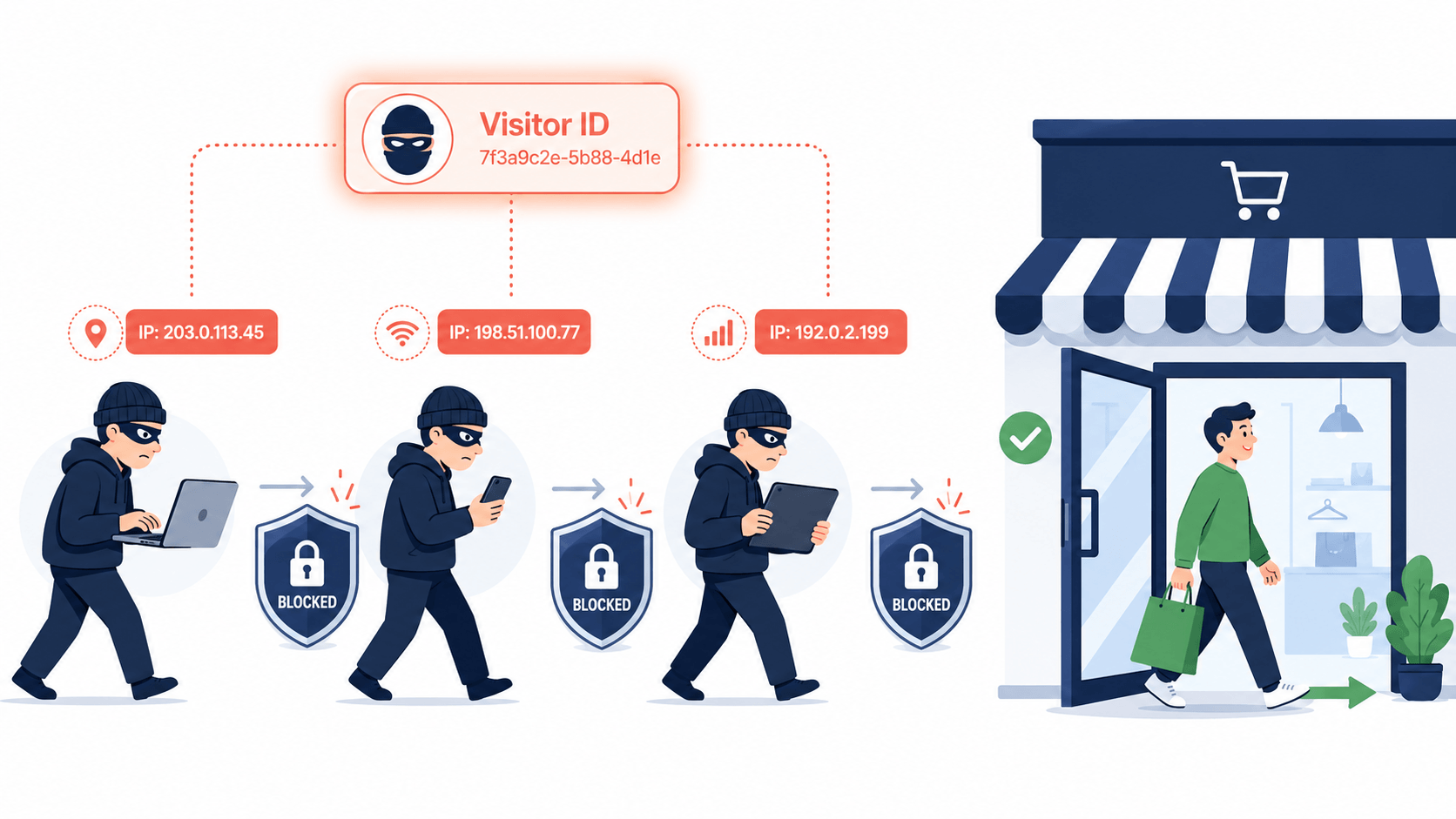
Put the pieces together and the whack-a-mole problem starts to resolve. Here's the workflow in practice:
1. Assignment. The moment a visitor lands on your store, they're assigned a Visitor ID based on their browser, device, and session characteristics.
2. Tracking and analysis. Their behavior is tied to that ID across the visit and across future visits pages viewed, checkout attempts, and any fraud indicators they trigger.
3. Fraud association. If an order is flagged or blocked for fraud say, multiple card attempts or mismatched billing info that activity is recorded against the Visitor ID, not just the throwaway IP.
4. Persistent blocking. You can block the Visitor ID itself. Now, when that same actor returns with a new IP or a different device, they're still recognized and stopped because the identifier follows the device environment, not the disposable connection.
This is the difference between blocking a connection and blocking a person. The fraudster can rotate IPs all day; the Visitor ID keeps recognizing them.
Fingerprinting Is One Signal, Not the Whole Verdict
A word of professional caution, because this is where over-eager merchants go wrong. Browser fingerprinting alone does not determine whether someone is a fraudster. Its real value emerges when it's combined with other signals inside a risk score.
The realistic 2026 architecture treats the fingerprint as one column in a multi-signal matrix, not the column that decides. It works best paired with IP reputation, behavioral analysis, and account or order history letting the overall risk score drive the decision rather than the fingerprint acting as a lone gatekeeper.
There are also honest limitations to keep in mind:
- Fingerprints can shift. A browser or OS update can change some signals, so good systems use stability features and confidence scoring rather than demanding a perfect match.
- Shared environments cause collisions. Two people on identical company-issued laptops can look similar, so blocking purely on a fingerprint risks catching the wrong person.
- It can change if the visitor changes their environment. A determined fraudster using anti-detect tools can alter their fingerprint though doing it convincingly is much harder than clearing a cookie.
The takeaway: use Visitor ID to recognize repeat offenders, but let a broader risk score decide the action.
A Note on Privacy and Compliance
Because fingerprinting reads device characteristics, merchants reasonably ask about privacy. Two points matter here.
First, a well-designed Visitor ID is generated anonymously it identifies a device environment, not a named person, and doesn't require collecting personally identifiable information like names or emails. This is what allows it to align with privacy regulations like GDPR and CCPA, which is precisely why fraud-prevention tools lean on anonymous identifiers (Visitor IDs and IPs) rather than PII.
Second, fingerprinting used specifically for fraud detection generally sits on firmer footing than tracking used for advertising but the specifics depend on where and how you operate. It's sensible to confirm your own compliance approach with a qualified advisor rather than assume.
Putting It to Work on Your Shopify Store
For a Shopify merchant, the goal is to stop blocking disposable connections and start recognizing actual repeat offenders. That means using a tool that assigns a persistent Visitor ID, ties fraud history to it, and lets you block by that ID while feeding it into a broader risk score so you're not acting on the fingerprint alone.
This is a core part of how an app like Browsify works. Browsify assigns every visitor a unique Visitor ID built from browser, device, and session signals, tracks behavior against it across sessions, and lets you block a repeat offender by their Visitor ID so they stay blocked even if they switch IPs or devices. That identifier feeds into Browsify's transparent risk score alongside IP, location, and behavioral signals exactly the multi-signal approach this guide recommends and it's generated anonymously to stay aligned with privacy guidelines. The whack-a-mole stops: block the person once, and they're recognized when they come back.
Try Browsify free and stop repeat offenders from slipping back in with a new IP. Browsify App
Frequently Asked Questions
How is a Visitor ID different from a cookie? A cookie is stored on the visitor's browser and can be cleared by them at any time. A Visitor ID is derived from the device and browser environment, so there's nothing for the visitor to delete making it far more durable for recognizing repeat offenders.
Can a fraudster change their Visitor ID? It's possible clearing cookies won't do it, but changing browser, device, or using anti-detect tools can shift the fingerprint. That's much harder than swapping an IP, which is why Visitor ID is more reliable, though not infallible.
Does blocking a Visitor ID ever catch innocent people? It can, in shared-device situations (e.g., identical corporate laptops) where fingerprints collide. That's why you should review fraud indicators and use Visitor ID as one signal in a risk score, not a sole automatic blocker.
Is browser fingerprinting compliant with GDPR and CCPA? Anonymous Visitor IDs that avoid collecting PII are designed to align with these regulations, and fraud-prevention use generally faces fewer consent hurdles than ad tracking but confirm your specific obligations with a qualified advisor.
Final Thoughts
IP blocking fails against repeat offenders for one reason: it blocks a disposable connection instead of a persistent identity. Browser fingerprinting and a Visitor ID flip that they recognize the same actor across sessions, IPs, and devices, so a fraudster you block once stays blocked.
Use them wisely: let the Visitor ID recognize repeat offenders, keep it anonymous for privacy, and let a broader risk score decide the action rather than the fingerprint alone. Do that, and you finally put down the whack-a-mole mallet for good.
Next in this series: "Best Practices for Setting Fraud Thresholds to Avoid False Declines" and "How to Automate Fraud Prevention on Shopify (Without Blocking Real Customers)."
This article is for general educational purposes and reflects common ecommerce fraud-prevention practices; it isn't legal or financial advice, including on privacy compliance. Always confirm current Shopify features and your obligations with a qualified advisor, as they change over time.