
Card Testing Fraud on Shopify: How to Detect and Block It Fast
Card testing fraud floods your Shopify store with tiny declined transactions and fake orders. Learn how to spot a carding attack early and the exact steps to block it before it costs you.
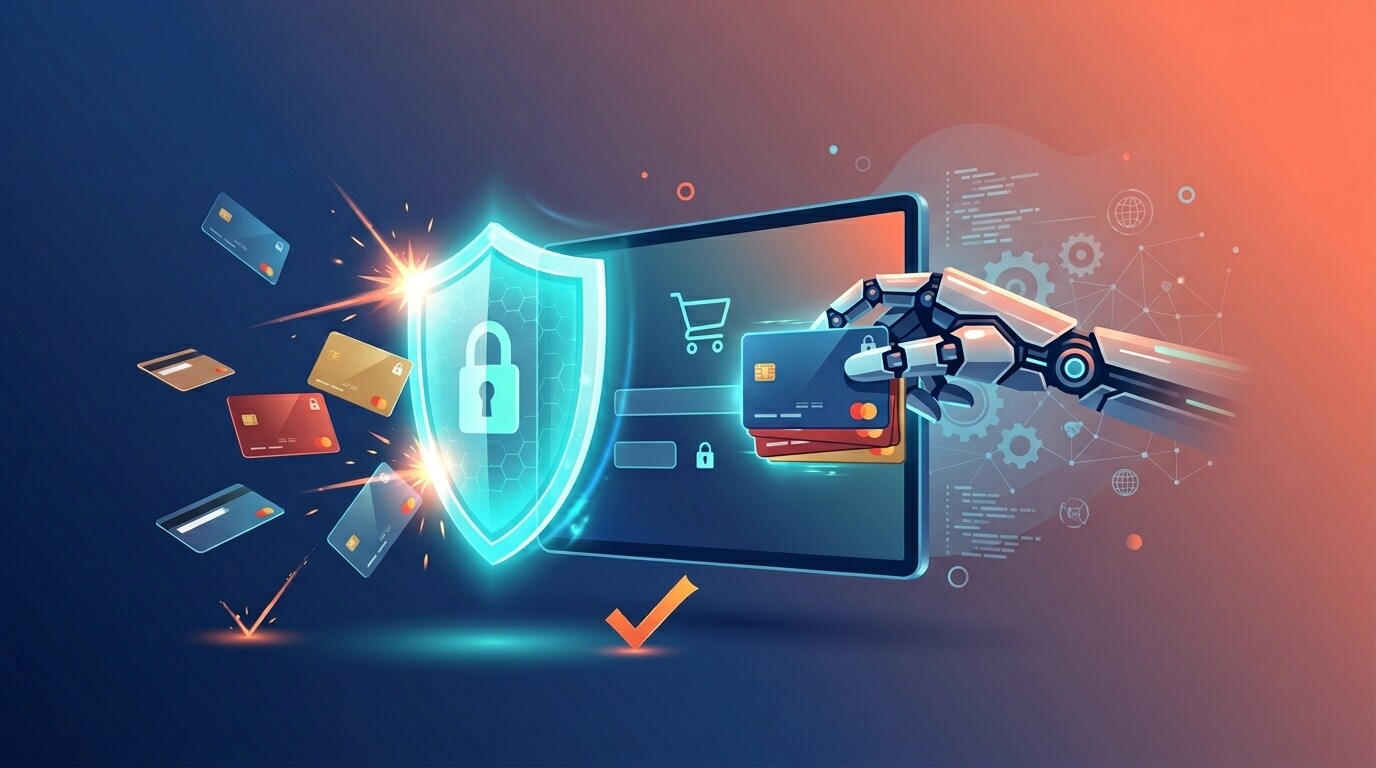
One morning you check your Shopify admin and something's off: dozens of failed payments overnight, a wave of "John Doe" orders, abandoned carts piling up, and a string of tiny charges you don't recognize. You've just been hit by card testing fraud and if you don't act fast, the chargebacks, processor fees, and account penalties are already on their way.
Card testing is the most common fraud vector Shopify merchants face, and it's one of the few that can escalate from a nuisance to an existential threat in a matter of hours. It's also increasingly automated: fraudsters in 2026 have largely traded manual testing for AI-driven bots that hammer checkouts at scale.
This guide explains exactly what card testing is, the warning signs that you're under attack, and a fast, practical playbook to shut it down. (For the wider strategy, see our complete guide to Shopify fraud prevention.)
What Is Card Testing Fraud?
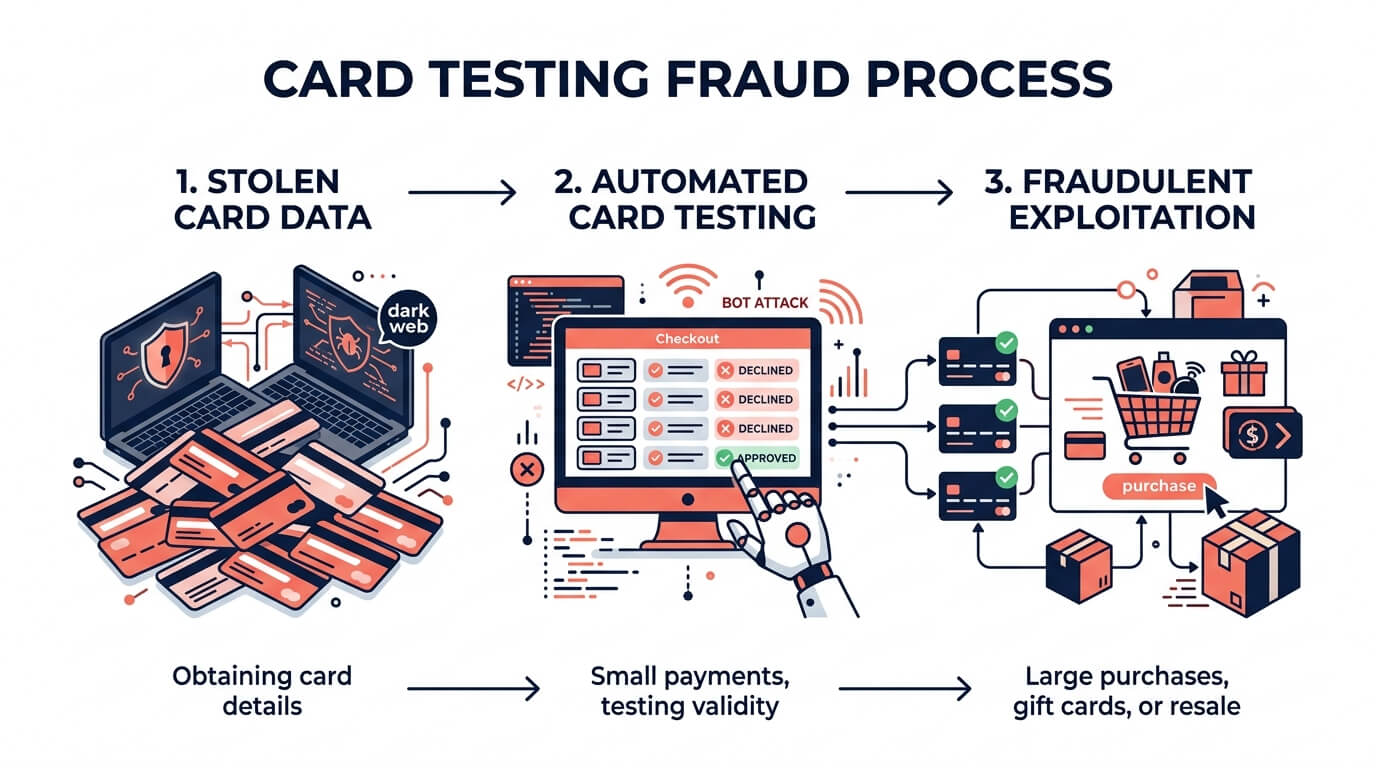
Card testing also called carding, account testing, or card enumeration is fraudulent activity where someone uses automated scripts to test whether stolen card details are valid.
Here's the mechanics. Fraudsters obtain stolen card numbers in bulk from data breaches, phishing, or dark-web marketplaces. The problem is they don't know which of those cards are still active. So they find a store with a checkout they can hammer possibly yours and run many small payment attempts at once to see which cards go through. Confirmed working cards are then used for larger purchases or resold at a higher price.
A few details make this especially dangerous:
- The attacks are automated. Bots can run hundreds or thousands of attempts in a short window, far faster than any human.
- Some attempts don't even complete a purchase. Fraudsters may just try to save card details rather than buy something. These attempts might never show on the cardholder's statement, so the activity goes unnoticed longer.
- Your store is collateral, not the target. The fraudster doesn't care about your products. They're using your checkout as a free validation tool which is why the orders often look strange.
Why Card Testing Is So Damaging for Merchants
It's tempting to shrug off a pile of failed payments after all, they didn't go through. That's a costly misread. A card testing attack hurts you in several ways at once:
Chargebacks on the successful tests. Every card that does work and gets charged becomes a fraudulent transaction, and the real cardholder will dispute it. Each chargeback costs you the order plus a non-refundable dispute fee.
Processor penalties and account risk. Card networks watch your authorization and dispute rates. A flood of declines and a rising chargeback ratio can push you toward the danger zone as your rate approaches 1%, networks may place you in dispute-monitoring programs that carry heavy fines and can cost you the ability to process payments at all.
Wasted spend and skewed data. Thousands of bot attempts inflate your transaction fees, distort your analytics, and can slow your store for real customers.
It rarely comes alone. A confirmed batch of working cards is the fuel for the next wave larger stolen-card orders aimed at your store or others.
For dropshippers especially, where margins are thin and a single chargeback can wipe out the profit on many legitimate orders, stopping card testing early isn't optional.
Warning Signs You're Under a Card Testing Attack
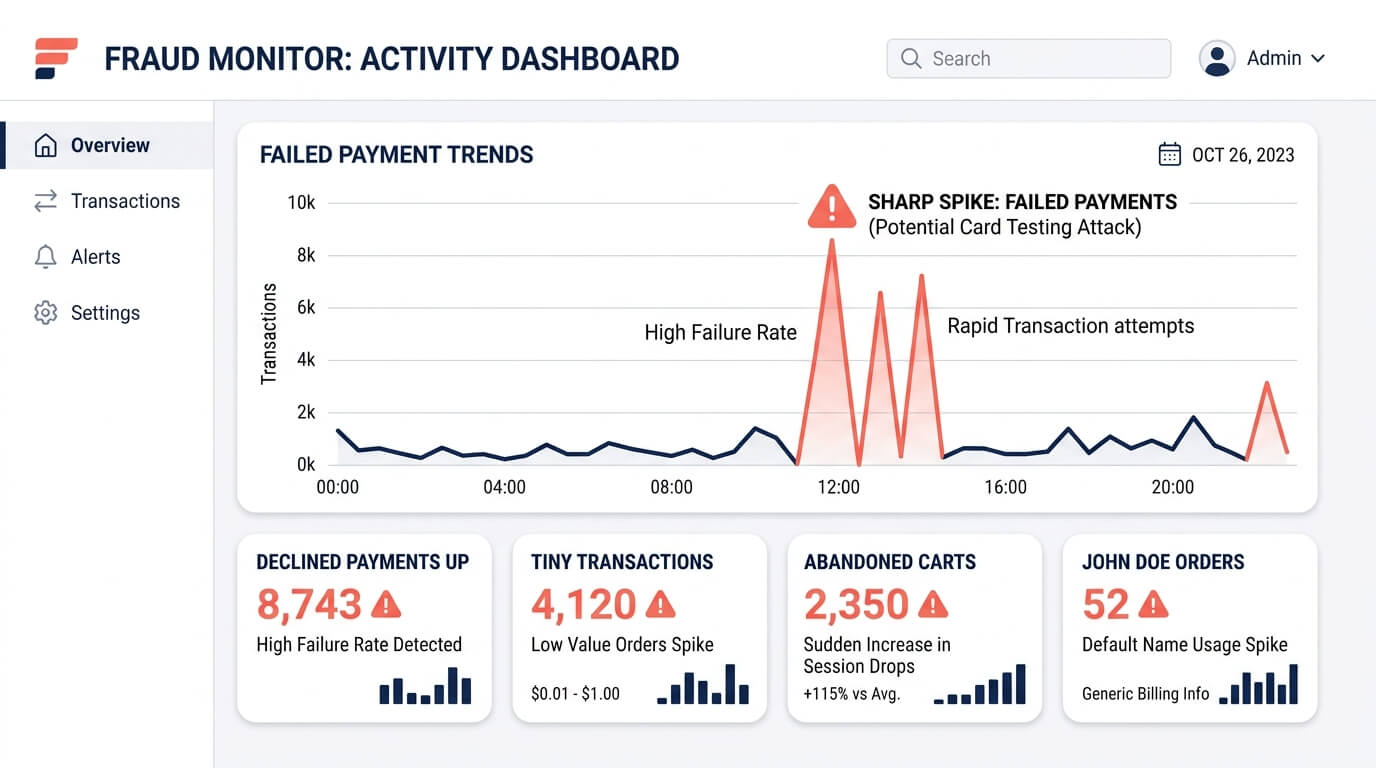
Card testing has a recognizable fingerprint. If you see several of these together, treat it as an active attack:
A spike in failed or declined payments. This is the clearest signal many transactions failing in a short window as bots cycle through invalid cards.
Lots of small-value transactions. Fraudsters test with tiny amounts to stay under the radar before moving to bigger purchases.
A surge of abandoned checkouts. Many attempts that never complete leave a trail of abandoned carts.
Multiple cards from the same source. Repeated attempts from the same IP, device, or session, each with a different card number.
Generic or junk customer details. Waves of "John Doe" orders, random-string email addresses, or placeholder names.
Same shipping address, different everything else. Multiple orders with different billing addresses, different names, and different states but all pointing to one shipping destination is a classic fraud pattern worth careful review.
Rapid-fire ordering. Several orders placed within seconds or minutes of each other, faster than any human shopper.
How to Block Card Testing Fast: A Step-by-Step Playbook
If you're under attack right now, speed matters. Here's the order of operations.
Step 1 Cancel high-risk orders before fulfillment. Use Shopify's fraud analysis to identify the suspicious orders and cancel-and-refund any you can't verify before you ship anything. Shipping a confirmed test order is how a failed attack turns into a real loss.
Step 2 Turn on Shopify's built-in protections. Shopify offers card testing protection, proxy detection, and if you use Shopify Payments dynamic 3D Secure checkout. 3D Secure shifts verification to the card issuer and adds friction that automated bots struggle to clear.
Step 3 Require full billing verification. Enable AVS and CVV matching, and require the card's billing address at checkout. Bots running stolen numbers usually lack the correct billing address and security code, so these checks knock out a large share of attempts.
Step 4 Throttle the bots with velocity limits. Monitor and limit how many attempts can come from a single source in a short time. When someone tries multiple cards in rapid succession, they should be blocked from continuing.
Step 5 Block the traffic at the source. Card testing is bot-driven and frequently routed through proxies and VPNs to mask its origin. Detecting and blocking anonymous, high-risk traffic before it reaches checkout stops the attack at the front door rather than cleaning up after it.
Step 6 Automate the response. You can't watch your admin 24/7. Use Shopify Flow or a dedicated app to automatically tag, hold, or cancel orders matching card-testing patterns so the response happens even while you sleep.
Step 7 Document and monitor. Keep records, respond to any chargebacks promptly with evidence, and watch your decline and dispute rates until they return to normal.
Preventing the Next Attack: Build Defenses Upstream
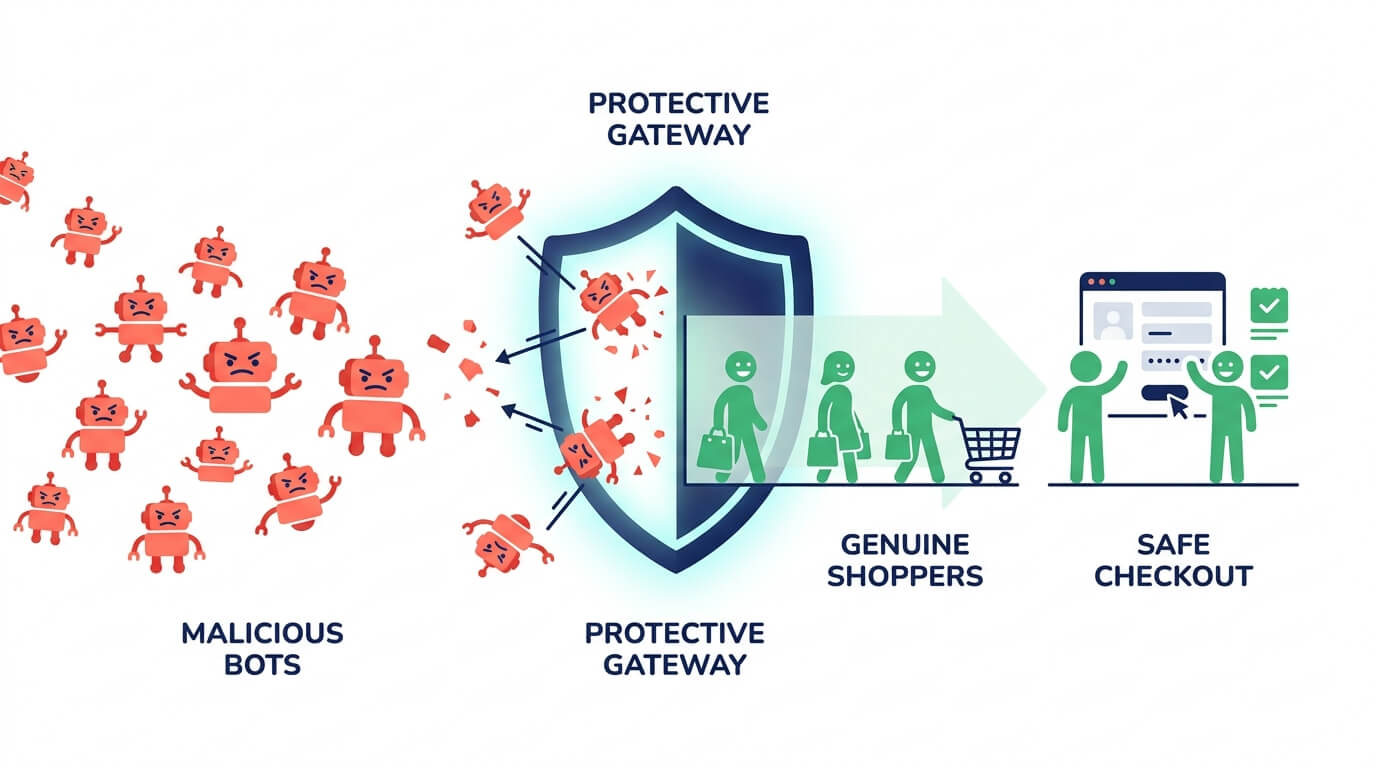
Surviving one attack is reactive. The goal is to make your store a poor target so the next bot moves on. The most effective card-testing defenses work before the order is ever placed:
Stop bots at the door. Since card testing is overwhelmingly automated, blocking bot and anonymizing traffic (proxies, commercial VPNs, TOR) removes the delivery mechanism for most attacks. The key is doing this without blocking legitimate privacy-conscious shoppers for example, by allowing Apple's iCloud Private Relay.
Recognize repeat offenders. Bots rotate IP addresses to evade simple blocks. A persistent visitor identifier (a browser fingerprint) lets you recognize and block the same attacker even after they switch IPs or devices closing the loophole that IP-only blocking leaves open.
Score traffic in real time. A risk score that weighs IP reputation, anonymizing-tool use, velocity, and behavior lets you automatically block clearly malicious sessions while letting genuine shoppers through.
This is exactly the layer where an app like Browsify earns its place. It detects and blocks high-risk and anonymous traffic before checkout, assigns each visitor a transparent risk score, and recognizes repeat offenders by visitor ID even when they rotate IPs turning your store from an easy carding target into a hardened one. Instead of cancelling test orders by hand each morning, the bots are stopped before they ever reach your payment page.
Try Browsify free and block card-testing bots before they hit your checkout. Browsify App
Frequently Asked Questions
Are failed card-testing payments actually harmful if nothing was charged? Yes. Even failed attempts inflate your fees, distort analytics, raise your decline rate, and signal that your store is an active target. And the attempts that do succeed become chargebacks.
Does Shopify stop card testing automatically? Shopify provides tools fraud analysis, card testing protection, proxy detection, and 3D Secure with Shopify Payments but it flags rather than fully auto-blocks, and bots that rotate IPs can slip past basic defenses. Layering upstream traffic blocking closes the gap.
How does 3D Secure help against card testing? 3D Secure moves verification to the card issuer, adding a step that automated scripts struggle to complete making your checkout a far less efficient testing ground.
Why do I see so many "John Doe" orders during an attack? Bots fill checkout fields with placeholder or random data because the goal is to validate the card, not to receive a product. Waves of generic customer details are a hallmark of card testing.
Final Thoughts
Card testing is fast, automated, and easy to underestimate but it follows a predictable pattern, and that makes it beatable. Learn the warning signs (spikes in declines, tiny charges, junk orders, one shipping address behind many cards), respond fast by cancelling unverified orders and hardening checkout, and then push your defenses upstream so bots are blocked before they ever reach your payment page.
Do that, and a carding attack shifts from a 6 a.m. emergency into a non-event your defenses quietly handle on their own.
Next in this series: "Understanding Risk Scores: How Fraud Detection Actually Works" and "Proxy, VPN, and TOR: How Fraudsters Hide and How to Block Them."
This article is for general educational purposes and reflects common ecommerce fraud-prevention practices; it isn't legal or financial advice. Always confirm current Shopify features and your payment processor's policies, as they change over time.
Related Guides
- Card Testing Prevention The complete guide to detecting and blocking carding attacks fast.
- Bot Protection Stop the automated bots that drive card-testing attacks.
- Automatic Fraud Blocking Set up rules that block carding traffic 24/7 without manual review.
- Stop Fake Orders on Shopify The complete guide to identifying and blocking fraudulent orders.