
How to Read Shopify's Fraud Analysis: Every Indicator Explained
A plain-English guide to reading Shopify's fraud analysis. Learn what every indicator means AVS, CVV, IP, multiple cards and how to turn red and green flags into confident order decisions.
You open an order, see a red warning symbol, click into the fraud analysis, and find a list of colored dots and unfamiliar acronyms AVS, CVV, IP mismatch. Now what?
Most Shopify merchants know the analysis exists but never learn to read it. They either ship every order and hope, or cancel anything flagged and lose good customers. Neither is a strategy. The truth is that Shopify's fraud analysis is genuinely useful once you understand what each indicator is telling you and just as importantly, what it isn't.
This guide decodes every indicator Shopify shows you, explains the difference between a recommendation and an indicator, and gives you a practical way to combine them into a confident decision. (For the bigger picture on protecting your store, see our complete guide to Shopify fraud prevention.)
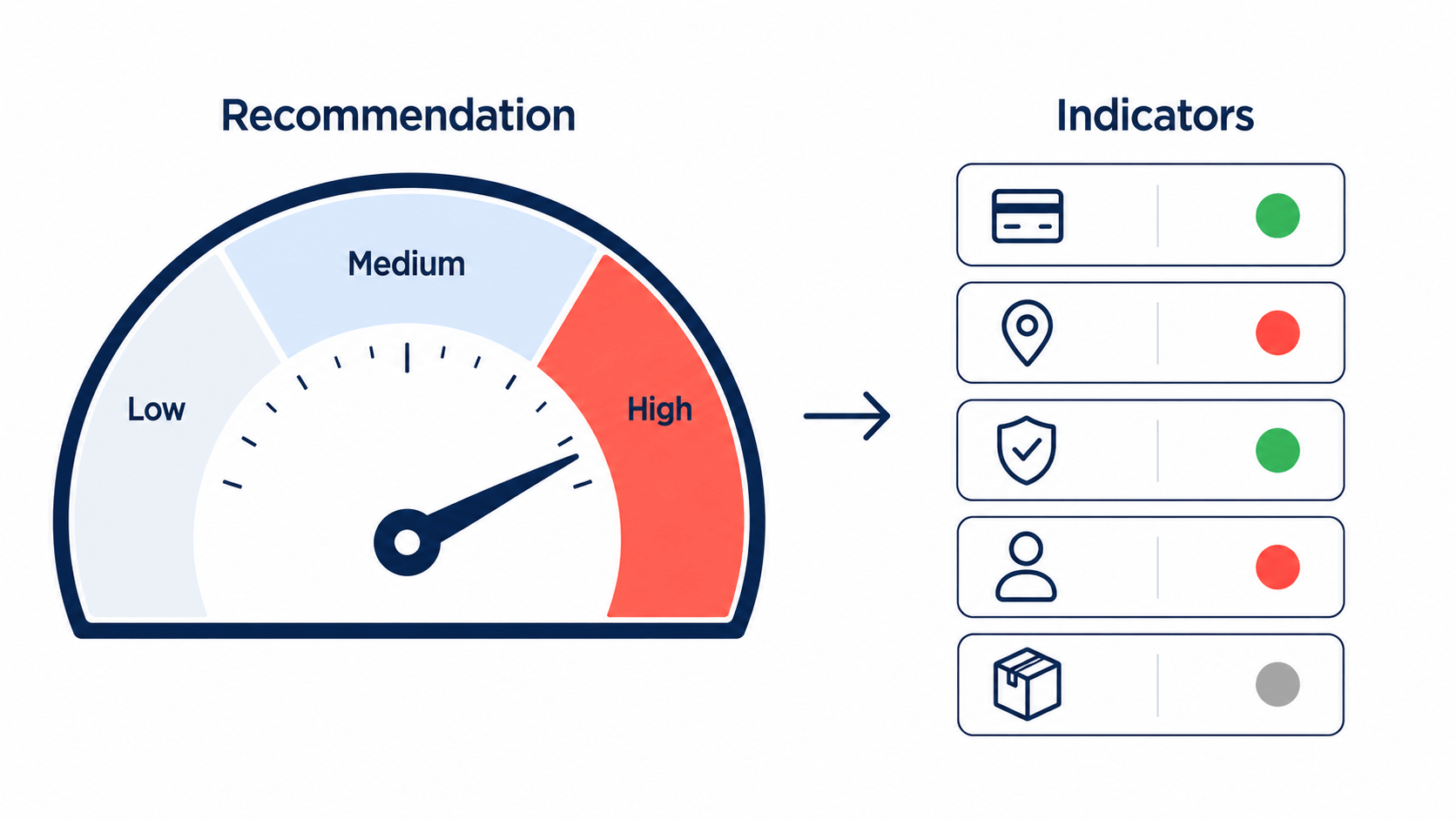
Recommendation vs. Indicators: Two Different Things
The first source of confusion is that Shopify shows you two distinct things, and they answer two different questions.
The fraud recommendation is the overall verdict low, medium, or high risk. It answers: how likely is this order to be fraudulent? It's generated by machine-learning models trained on historical transactions across millions of Shopify stores. Medium and high-risk orders get flagged with a warning symbol next to the order number on your Orders page.
The fraud indicators are the individual data points shown as green, red, and grey icons. They answer: why? Each indicator describes one specific signal about the order, like whether the address matched or whether multiple cards were tried.
Here's the critical part most merchants miss: the recommendation tells you the risk level, but the indicators are what you actually investigate with. A single red indicator rarely means fraud on its own. The skill is in reading them together.
The Color Code: Green, Red, and Grey
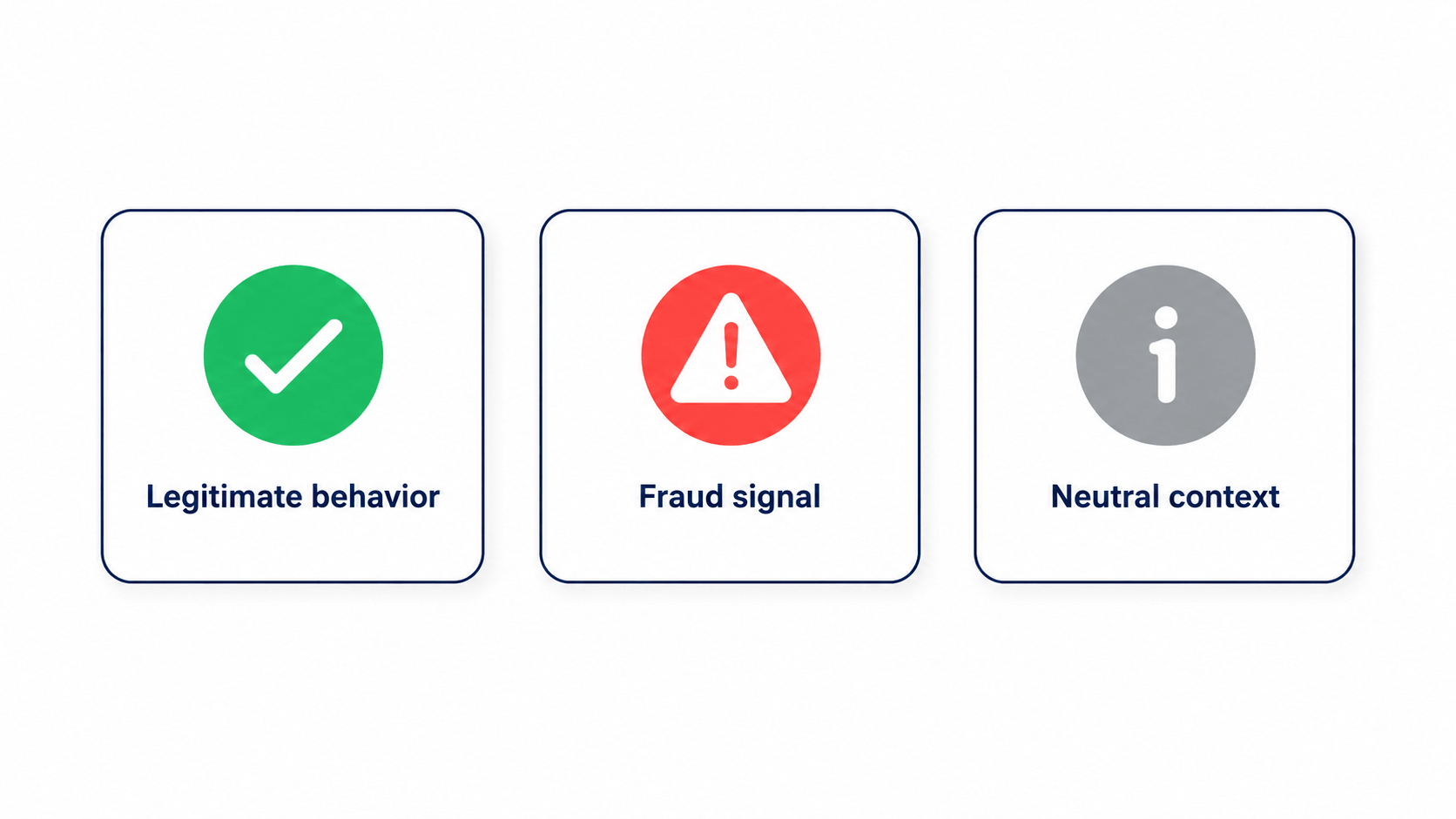
Before the specifics, learn the language of the icons:
- Green indicators describe behavior that usually happens with legitimate orders. These are reassuring signals.
- Red indicators describe behavior that usually happens with fraudulent orders. These are warning signals.
- Grey indicators give you neutral, additional context that's useful for investigation but isn't inherently good or bad.
One green or one red dot is not a verdict. You're looking for the weight of evidence how many red flags stack up, and how serious they are.
Every Indicator, Explained
Let's go through the signals Shopify surfaces, what each one actually means, and how much weight to give it.
AVS Address Verification System
What it checks: Shopify compares the numeric portion of the billing address and ZIP/postal code the customer entered against what the card issuer has on file.
What it tells you: A match (green) means the buyer knows the cardholder's real billing address a good sign. A mismatch (red) could be an innocent typo, or it could mean the person ordering isn't the legitimate cardholder. AVS catches stolen-card fraud where the thief has the card number but not the billing address.
How much weight: Moderate to high. A failed AVS combined with other red flags is a serious concern; on its own it can occasionally be a genuine customer's mistake.
CVV Card Verification Value
What it checks: Whether the customer entered the correct 3- or 4-digit security code from the card.
What it tells you: Because PCI rules forbid merchants from storing CVVs, a correct entry strongly indicates the buyer physically has the card in hand. A failed CVV is a meaningful red flag.
How much weight: High. CVV is one of the better single signals that the buyer possesses the real card.
Multiple Credit Card Attempts
What it checks: Whether the customer's card was repeatedly declined, or multiple different cards were tried.
What it tells you: This is one of the clearest fraud signals there is. Bad actors cycle through stolen card numbers or guess CVVs until one works the hallmark of card-testing fraud.
How much weight: Very high. Repeated declines followed by a success deserve immediate scrutiny.
IP Address Details
What it checks: The location and characteristics of the IP address used to place the order.
What it tells you: A red IP indicator often means the buyer's IP location doesn't match the billing country, or the connection is coming from a high-risk source or an anonymizing tool. Someone billing in the US but connecting from a high-risk country far away is worth a second look.
How much weight: Moderate to high, especially when the IP country contradicts the billing or shipping country.
Unusual Purchase Patterns
What it checks: Order velocity and behavior such as several orders placed in quick succession, or an unusually large first order from a brand-new customer.
What it tells you: Once a criminal confirms a stolen card works, they move fast to maximize value before it's reported. A first order that's far larger than your typical 1–2 item purchase, or a rapid burst of orders, fits known fraud patterns.
How much weight: Moderate. Context matters a sale or viral product can also cause spikes.
Customer and Account History (grey/context)
What it checks: Whether there's prior order history tied to this customer.
What it tells you: A long, clean history is reassuring; a brand-new customer with no track record simply means you have less to go on, not that they're a fraudster.
How much weight: Low on its own, but valuable context that can tip a borderline decision.
Reading the Indicators Together: A Worked Example
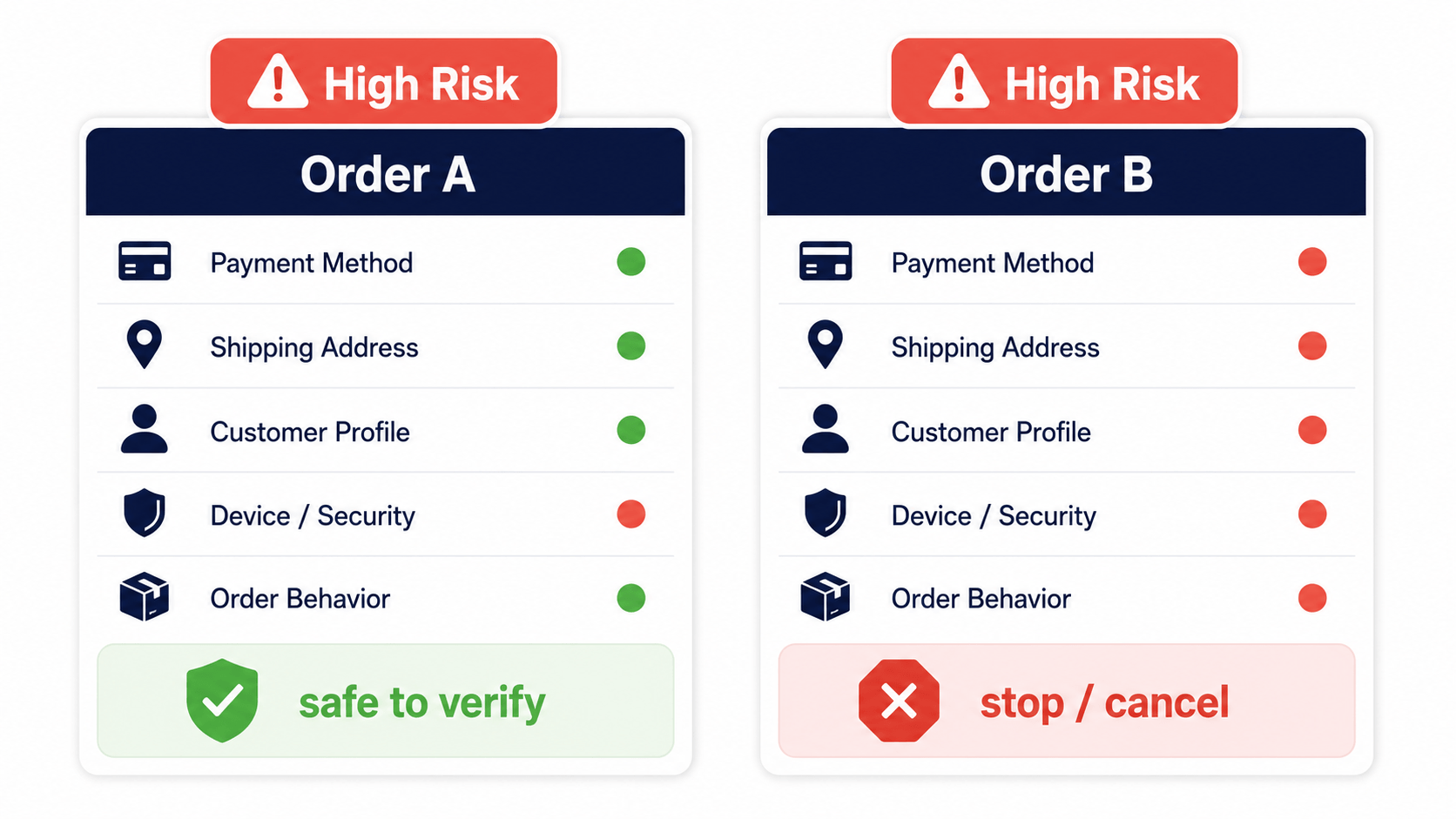
Indicators only become powerful when you combine them. Consider two orders, both flagged high risk:
Order A: AVS match (green), CVV match (green), IP country matches billing (green), but it's a large first order (red). Weight of evidence: mostly reassuring. The size alone tripped the flag. A quick verification email is likely all you need.
Order B: AVS mismatch (red), CVV failed (red), IP in a different country than billing (red), multiple card attempts (red), shipping address differs from billing (red). Weight of evidence: overwhelming. This has the fingerprints of stolen-card fraud. Verify or cancel.
Same "high risk" label, completely different stories. The recommendation flagged both; the indicators told you which one to ship and which one to stop. That's the entire point of learning to read them.
The Limits of Shopify's Fraud Analysis
Understanding the indicators also means understanding where the built-in tool stops because these gaps are exactly where stores get burned.
It's passive. Shopify flags orders but never cancels them automatically. You still have to sit in the admin, read the indicators, and decide on every flagged order. That's manageable at 20 orders a day; at 500 it becomes a part-time job.
It only sees verified credit card orders. Offline orders and some third-party gateways may receive no recommendation at all so "no flag" doesn't always mean "safe."
It's a black box you can't tune. Merchants frequently report high-risk orders explained only as "characteristics similar to past fraudulent orders," without naming the specifics. You can't adjust, appeal, or learn from the algorithm when it's wrong.
It works on orders, not traffic. By the time fraud analysis runs, the fraudster is already at checkout. It does nothing to stop bots, scrapers, or anonymous high-risk visitors before they place an order.
None of this makes Shopify's analysis useless it's an excellent first line. But it explains why growing stores add layers on top of it.
Going Beyond the Built-In Indicators
The natural next step is to add signals Shopify doesn't surface and to act on them earlier in the visitor's journey. Dedicated fraud-prevention tools extend what you can see and do in three ways:
More signals. Device fingerprinting and persistent visitor IDs recognize a repeat offender even when they change IPs or devices something Shopify's per-order view can't do well.
Earlier action. Detecting and blocking proxy, VPN, and TOR traffic or visitors with high risk scores stops bad actors before checkout, not after, while still allowing legitimate privacy tools like iCloud Private Relay so you don't lose real customers.
Transparent, tunable rules. Unlike a black box, a configurable risk score (0–100) lets you see exactly why a visitor was flagged and set your own thresholds for blocking or redirecting.
This is the layer where an app like Browsify fits: it reads the same kinds of signals you've just learned to interpret IP, location, anonymizing tools, behavioral patterns assigns a transparent risk score, and lets you block high-risk traffic automatically before it ever becomes a flagged order. You keep the manual review for genuine edge cases instead of doing it on every order by hand.
Try Browsify free and turn the signals you now understand into automatic protection. Browsify App
Frequently Asked Questions
Does a single red indicator mean an order is fraud? No. One red flag like an AVS mismatch can be an honest typo. Look at the weight of evidence across all indicators before deciding.
Why are AVS and CVV so important? Together they confirm the buyer knows the cardholder's billing address and physically has the card the two things a stolen-card fraudster usually lacks.
Why did Shopify flag an order with all green indicators? The recommendation uses network-level machine learning that considers signals beyond the visible indicators, so an order can be flagged for patterns "similar to past fraud" even when the visible flags look clean. When in doubt, verify with the customer.
Can I make Shopify cancel high-risk orders automatically? Not on its own fraud analysis is passive. You can automate handling with Shopify Flow or a dedicated app, but Shopify itself only flags.
Final Thoughts
Shopify's fraud analysis stops being intimidating the moment you can read it. Remember the framework: the recommendation gives you the risk level, the indicators give you the reasons, and your job is to weigh them together rather than react to any single flag. AVS and CVV confirm card possession, multiple-card attempts scream card testing, and IP and pattern signals add context.
Master that, recognize where the built-in tool reaches its limits, and add a layer that acts on these signals automatically and you'll spend far less time second-guessing orders and far more time growing your store.
Next in this series: "Card Testing Fraud on Shopify: How to Detect and Block It Fast" and "Understanding Risk Scores: How Fraud Detection Actually Works."
This article is for general educational purposes and reflects common ecommerce fraud-prevention practices; it isn't legal or financial advice. Always confirm current Shopify features and your payment processor's policies, as they change over time.
Related Guides
- Fraud Risk Scores How the indicators roll up into a single risk verdict.
- Stop Fake Orders on Shopify The complete guide to identifying and blocking fraudulent orders.
- Visitor ID & Browser Fingerprinting How Visitor ID adds a signal Shopify's indicators don't show.
- VPN & Proxy Blocking Understand the IP and proxy indicators in your fraud analysis.