
Best Practices for Setting Fraud Thresholds to Avoid False Declines
Set your fraud threshold too tight and you reject good customers; too loose and fraud slips through. Here's how to tune your fraud threshold to minimize false declines while still stopping real fraud with the one metric most stores never track.
There's one setting in your fraud system that quietly decides how much money you make: the threshold. It's the line where your system stops trusting an order flag it, hold it, or block it. Set that line too aggressively and you reject paying customers; set it too loosely and fraud walks right through. Most stores pick a number once, never touch it again, and never find out how much it's costing them.
After 15+ years in fraud prevention, here's the truth I want to leave you with as this series closes: the biggest threshold mistake isn't letting fraud through it's blocking good customers. Industry research consistently finds that false declines cost merchants far more than fraud itself, yet most merchants don't even measure them. This guide shows you how to set and tune your fraud threshold to protect revenue on both sides of the line: catching real fraud without turning away the customers you worked to win.
First, Understand What a Threshold Actually Controls
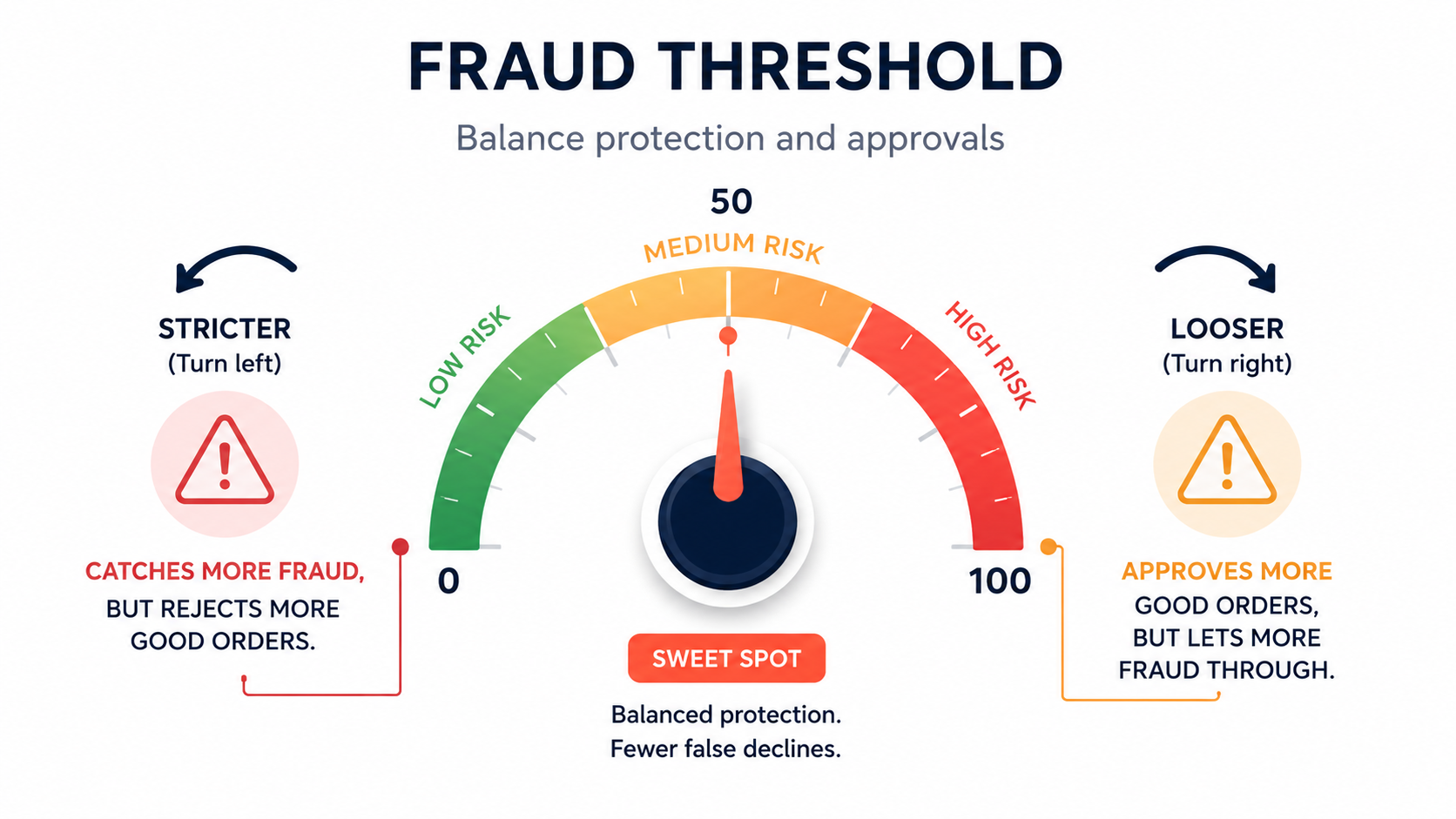
Your fraud tool assigns each order or visitor a risk score (commonly on a 0–100 scale). The threshold is the score at which the system takes action typically blocking or holding anything above it. Everything below sails through; everything above gets stopped or scrutinized.
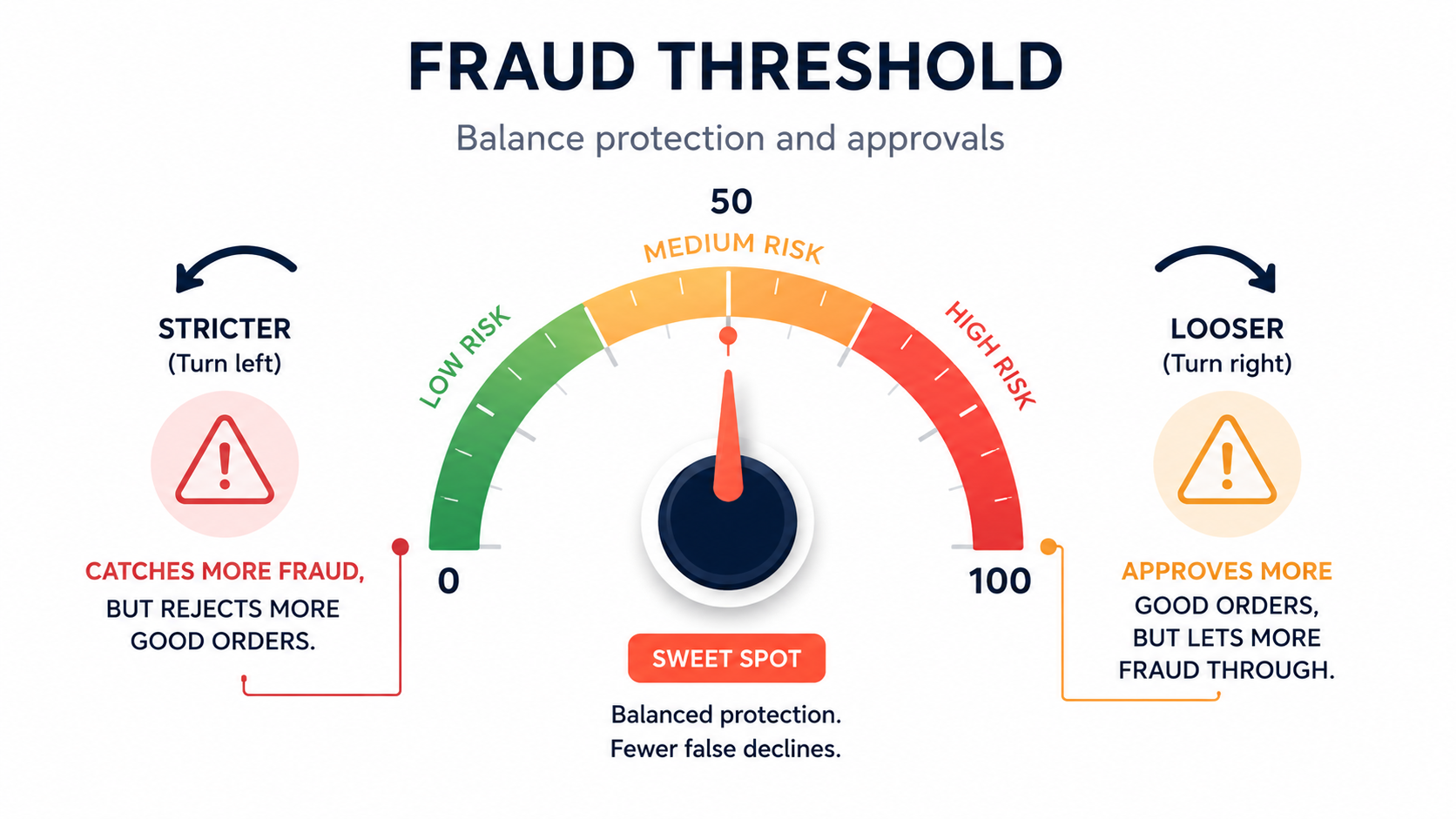
This makes the threshold a dial, not a switch. Move it down (stricter) and you catch more fraud but reject more good orders. Move it up (looser) and you approve more good orders but let more fraud through. There is no magic number that's right for every store the correct setting depends on your margins, your product, your customers, and your fraud exposure.
The Metric Almost Nobody Tracks: False-Decline Rate
Here's the single most important idea in this entire guide. When merchants think about fraud, they obsess over the fraud they catch and almost never measure the good customers they reject. That's backwards.
The false-decline rate the percentage of legitimate orders your system wrongly blocks is the metric that actually determines whether your threshold is helping or hurting. And the numbers are stark:
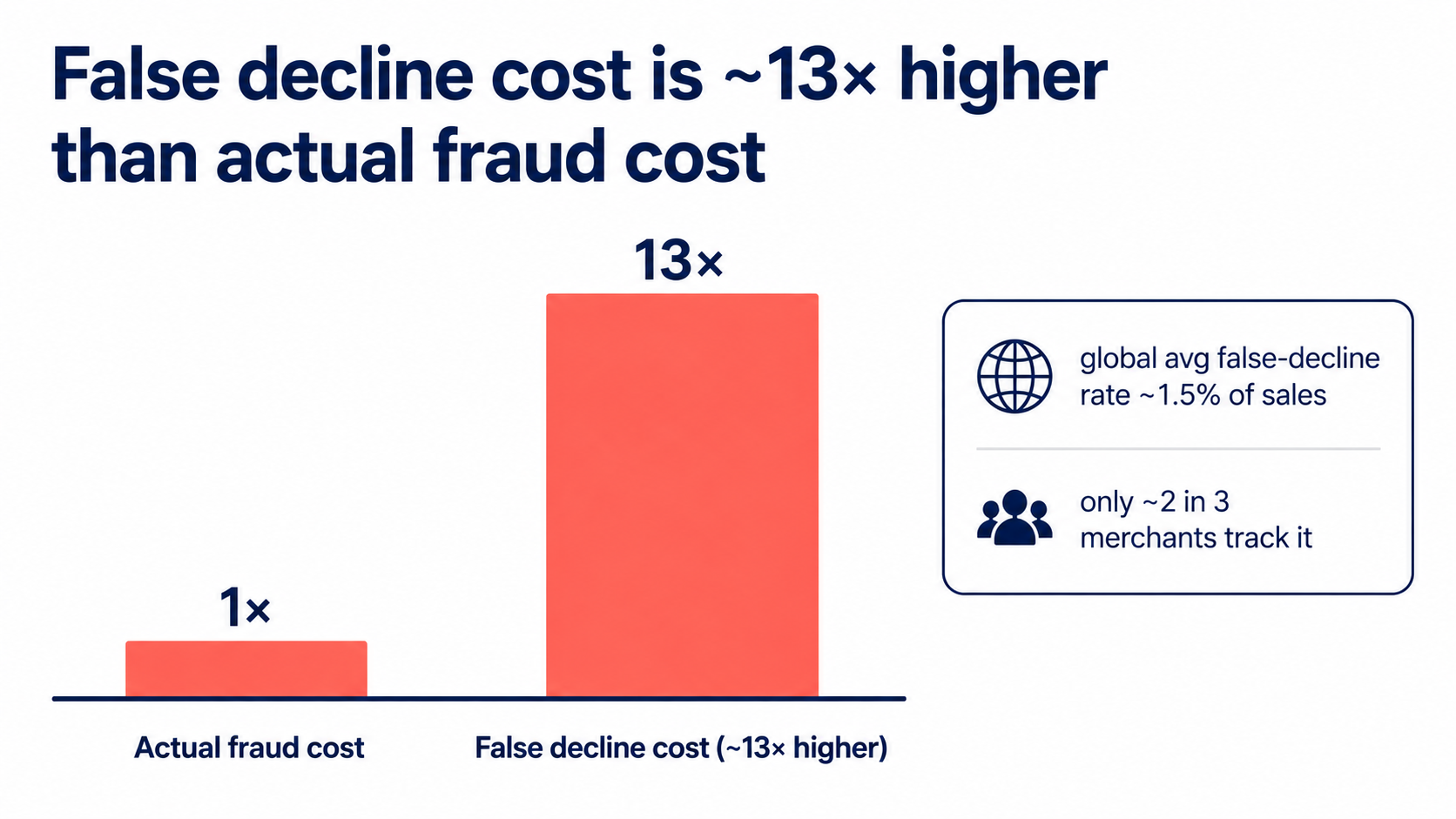
- The global average false-decline rate runs around 1.5% of e-commerce sales a useful benchmark to measure yourself against.
- False declines are estimated to cost merchants many times more than actual fraud some analyses put it at roughly 13×.
- Yet only about two-thirds of merchants even track their false-decline rate.
If you measure one new thing after reading this, make it this: how many of your declined or blocked orders were actually good customers? The goal isn't the lowest fraud rate it's the highest acceptance rate your risk tolerance allows. That's the number that grows revenue, and it's the one almost nobody watches.
Best Practices for Setting Your Threshold
With that framing, here's how to actually set and tune the dial.
1. Don't leave it at the default extreme
Many tools default to acting only at the very top of the risk scale which means they auto-block almost nothing and catch only the most blatant fraud. If that's your setup, you're under-protected. Lower the threshold to a high-but-not-maximum level so genuinely high-risk orders get stopped, then refine from there. (A common starting move is to bring a max-level auto-block down a notch for example toward 80 on a 0–100 scale.)
2. Use bands, not a single cutoff
A single hard line forces a binary approve/reject on every order, which is exactly what causes false declines. Instead, use risk bands with graduated actions: approve the low band automatically, route the medium band to review or verification, and block only the high band. The middle band is your safety valve it lets ambiguous orders (which include many good customers) get a second look instead of an automatic rejection.
3. Start strict, then loosen deliberately
A sound tuning method: begin somewhat conservative, then open up as the data lets you. If you lower the strictness and chargebacks don't rise, you've found free revenue those were good orders you'd been blocking. Keep nudging toward more approvals until you see fraud creep back, then settle just inside that line. You're searching for the highest acceptance rate that keeps fraud acceptable, not the strictest setting possible.
4. Layer signals so one flag never decides alone
A threshold built on a single signal (one failed check, one VPN, one country) will misfire constantly. Set your threshold against a combined risk score that weighs many signals together, so a lone ambiguous flag doesn't cross the line by itself. This is the biggest structural defense against false declines.
5. Whitelist the predictable false positives
Some legitimate traffic reliably looks risky. Whitelist it: iCloud Private Relay and mainstream privacy tools (so Apple and privacy-minded customers aren't auto-blocked), and your known-good returning customers (recognized via Visitor ID). Carving these out removes a whole category of false declines before they happen.
6. Tune to your store, not a template
Your ideal threshold reflects your margins and risk appetite. A high-margin store can afford to approve more borderline orders (a wrongly-rejected sale costs more than the occasional fraud loss). A razor-thin dropshipping store has less room for fraud but also can't afford to reject good buyers. Set the dial to your economics, not a generic default.
7. Revisit it regularly
A threshold is never "done." New products, new markets, seasonal traffic, and evolving fraud patterns all shift your risk profile. Review your flagged and blocked orders periodically if good customers are showing up in the blocked pile, loosen; if fraud is slipping through, tighten. Tuning is ongoing.
Where Browsify Fits
Putting this into practice means having a threshold you can actually control and signals you can trust. Browsify App gives you a visitor Risk Score from 0–100 with three actionable bands Low (0–33) approve, Medium (34–66) review, High (67–100) block and a threshold you set yourself. Its default auto-block sits at the top of the scale, but lowering it toward 80 is a sensible starting point that catches genuinely high-risk traffic while leaving the middle band free to review rather than reject. Because the score combines IP, proxy/VPN/TOR, and Visitor ID signals, no single flag trips the threshold alone and the built-in iCloud Private Relay allowance plus Visitor-ID whitelisting remove the most common false-decline traps automatically.
There's a free tier so you can watch how different threshold settings perform against your own real traffic before committing which is exactly how you find the highest acceptance rate your store can safely run. Install Browsify free →
To go deeper on the score behind the threshold, read Understanding Risk Scores: How Fraud Detection Actually Works; to put it on autopilot, see How to Automate Fraud Prevention on Shopify.
Frequently Asked Questions
What's a good fraud threshold to start with? There's no universal number, but avoid leaving it at the maximum (which auto-blocks almost nothing). A common starting point is a high-but-not-maximum level for example around 80 on a 0–100 scale then tune based on your results.
What is a false-decline rate and what's normal? It's the share of legitimate orders your system wrongly blocks. The global average is around 1.5% of sales a useful benchmark. If yours is higher, your threshold is likely too strict.
Why do false declines matter more than fraud? Because they're often far larger in total cost some analyses estimate roughly 13× the cost of fraud and a wrongly-declined customer frequently never returns. You lose the sale and the lifetime value.
How do I tune my threshold safely? Start conservative, then loosen gradually while watching chargebacks. If loosening doesn't raise fraud, you've recovered good orders you were blocking. Stop tightening once fraud stays acceptable at the highest acceptance rate you can hold.
How often should I adjust it? Periodically, and whenever your store changes new products, markets, or traffic patterns. Review your blocked orders for legitimate customers and adjust. A threshold set once and forgotten drifts out of tune.
Final Thoughts
Setting a fraud threshold isn't about finding the strictest setting that stops the most fraud it's about finding the smartest setting that protects revenue on both sides of the line. The store that obsesses only over caught fraud while ignoring rejected customers is optimizing the wrong number.
So measure your false-decline rate, set your threshold against a combined risk score rather than a single flag, use bands so the ambiguous middle gets reviewed instead of rejected, whitelist the predictable false positives, and tune toward the highest acceptance rate your economics allow. Do that, and your fraud threshold stops being a blunt gate and becomes what it should be: a finely-tuned dial that keeps fraud out and your real customers flowing in.
That's the through-line of this entire series security and conversion aren't enemies. Read your signals accurately, respond in proportion, and you protect your store and your growth at the same time.
This article is for general educational purposes and reflects common e-commerce fraud-prevention practices; it isn't legal or financial advice. Optimal thresholds and benchmarks vary by store and change over time always test settings against your own data before relying on them.
Related Guides
- Fraud Risk Scores How the 0–100 score works and where to set your threshold.
- Automatic Fraud Blocking Set up rules that protect your store 24/7 without manual review.
- VPN & Proxy Blocking Block anonymized traffic without losing real customers to false declines.
- Stop Fake Orders on Shopify The complete guide to identifying and blocking fraudulent orders.